Italy SDI Integration Guide: How to Connect Your Invoicing Software to Sistema di Interscambio
Tax & Compliance Series
This guide is part of a comprehensive series. Explore all 202 topics:
Step-by-step guide to integrating with Italy's SDI e-invoicing system — technical requirements, XML format, accreditation, and common errors. This guide gives the answer first, then covers required invoice fields, workflow choices, compliance checks, common mistakes, and practical next steps so readers can act without comparing multiple sources.
What Is the SDI (Sistema di Interscambio)?
The Sistema di Interscambio (SDI) is Italy's mandatory electronic invoicing system operated by the Agenzia delle Entrate (Italian Revenue Agency). Since January 2019, all invoices between Italian businesses and consumers must be transmitted through the SDI in FatturaPA XML format.
The Sistema di Interscambio (SDI) is Italy's mandatory electronic invoicing system operated by the Agenzia delle Entrate (Italian Revenue Agency). Since January 2019, all invoices between Italian businesses and consumers must be transmitted through the SDI in FatturaPA XML format.
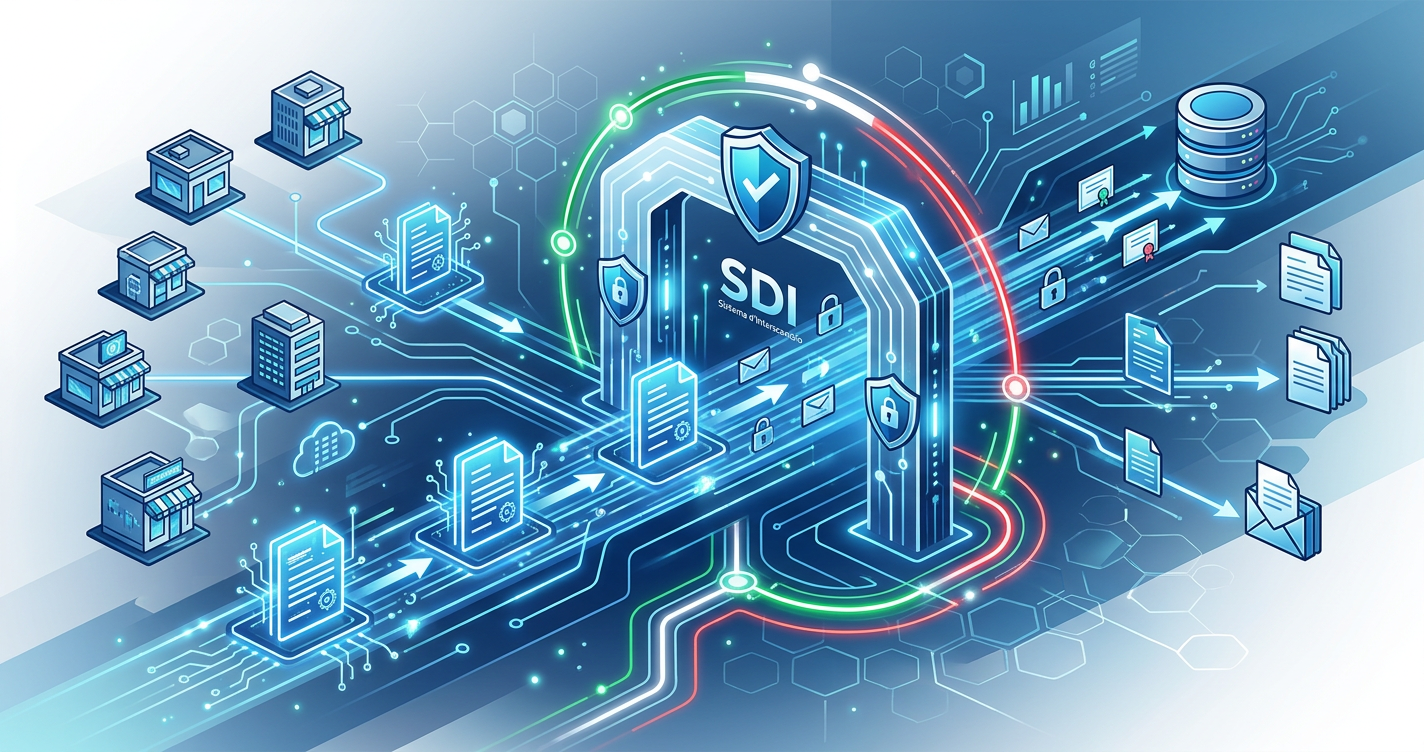
The SDI acts as a clearinghouse: it receives electronic invoices from sellers, validates them, and forwards them to buyers. It also reports the data directly to the tax authority, eliminating the need for separate VAT reporting in most cases.
Who Must Use the SDI?
All Italian businesses — regardless of size, for B2B and B2C domestic transactions Foreign businesses — with an Italian VAT number, for invoices to Italian customers
- All Italian businesses — regardless of size, for B2B and B2C domestic transactions
- Foreign businesses — with an Italian VAT number, for invoices to Italian customers
- Cross-border B2B — since July 2022, cross-border invoices must also be transmitted via SDI (replacing the Esterometro)
The only exceptions are certain healthcare transactions and international entities without Italian VAT registration.
SDI Integration Options
There are three ways to connect to the SDI:
There are three ways to connect to the SDI:
1. Direct Connection (Accredited Channel)
Your software connects directly to the SDI via:
- SDICoop — SOAP web service for sending/receiving (most common for software providers)
- SDIFTP — SFTP channel for batch file exchange (for high-volume senders)
- SPCoop — for public administration entities
Direct connection requires accreditation with the Agenzia delle Entrate and a digital certificate.
2. PEC (Posta Elettronica Certificata)
Send FatturaPA XML files via certified email to the SDI address (sdi01@pec.fatturapa.it). This is the simplest option for low-volume senders but is manual and doesn't scale.
3. Intermediary / Hub
Use an accredited intermediary (like Aruba, Infocert, or Invoicemonk's SDI integration) to handle the connection on your behalf. The intermediary receives your invoice data, converts it to FatturaPA format, transmits to SDI, and returns delivery receipts.
FatturaPA XML Format
The FatturaPA is an XML file with a specific schema defined by the Agenzia delle Entrate.
The FatturaPA is an XML file with a specific schema defined by the Agenzia delle Entrate. Key sections:
- FatturaElettronicaHeader — sender (CedentePrestatore) and receiver (CessionarioCommittente) data including VAT numbers, addresses, and Codice Destinatario
- FatturaElettronicaBody — invoice details including line items (DettaglioLinee), tax data (DatiRiepilogo), and payment information
- Attachments — optional PDF rendering or supporting documents can be embedded
Key Fields and Codes
Key Fields and Codes includes: Codice Destinatario — 7-character code identifying the buyer's SDI channel.
- Codice Destinatario — 7-character code identifying the buyer's SDI channel. If unknown, use "0000000" and the buyer's PEC address
- TipoDocumento — TD01 (invoice), TD02 (advance), TD04 (credit note), TD24 (deferred invoice)
- Natura IVA — N1 (exempt), N2.1/N2.2 (not subject), N3.1-N3.6 (not taxable), N6 (reverse charge)
- RegimeFiscale — RF01 (ordinary), RF02 (minimum), RF19 (forfettario/flat-rate), etc.
SDI Validation and Error Handling
The SDI validates every invoice before forwarding.
The SDI validates every invoice before forwarding. Common rejection codes:
- 00200 — XML format error (malformed file)
- 00305 — Codice Destinatario doesn't exist
- 00311 — Duplicate invoice (same number, date, and seller)
- 00400 — Validation error in business rules (e.g., incorrect tax calculations)
- 00404 — Receiver's channel is not active
The SDI returns a notification for each invoice: acceptance (ricevuta di consegna), rejection (notifica di scarto), or inability to deliver (impossibilità di recapito).
Timeline and Deadlines
Timeline and Deadlines includes: Immediate invoices — must be transmitted to SDI within 12 days of the transaction Deferred invoices (TD24) — can be issued by the 15th of the following month
- Immediate invoices — must be transmitted to SDI within 12 days of the transaction
- Deferred invoices (TD24) — can be issued by the 15th of the following month
- Cross-border invoices — must be transmitted by the end of the following month
Integrating with Invoicemonk
Invoicemonk handles SDI integration automatically on paid plans:
Invoicemonk handles SDI integration automatically on paid plans:
- Create your invoice in Invoicemonk with Italian VAT fields
- Invoicemonk generates the FatturaPA XML with all required codes
- The XML is transmitted to SDI via our accredited channel
- You receive delivery confirmations directly in your dashboard
- For Italian tax compliance, all mandatory fields are auto-populated
Frequently Asked Questions
Do I need to store electronic invoices?
Yes. Italian law requires electronic invoice conservation (conservazione sostitutiva) for 10 years.
Yes. Italian law requires electronic invoice conservation (conservazione sostitutiva) for 10 years. The Agenzia delle Entrate offers free storage, or you can use a certified conservation service.
What happens if the SDI rejects my invoice?
You have 5 days to correct and resubmit. The rejection notification includes the error code and description.
You have 5 days to correct and resubmit. The rejection notification includes the error code and description. Fix the issue and retransmit through the same channel.
Can I still send PDF invoices to clients?
The FatturaPA XML is the legal invoice. You can include a PDF rendering as an attachment within the XML file for the client's convenience, but the XML is what matters legally.
The FatturaPA XML is the legal invoice. You can include a PDF rendering as an attachment within the XML file for the client's convenience, but the XML is what matters legally.
How do I invoice international clients from Italy?
Since July 2022, cross-border invoices must also go through SDI using TipoDocumento TD01 with Codice Destinatario "XXXXXXX" (seven X's). See our Esterometro cross-border guide.
Since July 2022, cross-border invoices must also go through SDI using TipoDocumento TD01 with Codice Destinatario "XXXXXXX" (seven X's). See our Esterometro cross-border guide.
Do forfettari (flat-rate taxpayers) need to use SDI?
Yes, since January 2024, all forfettari must use SDI regardless of revenue. Previously, those under €25,000 were exempt.
Yes, since January 2024, all forfettari must use SDI regardless of revenue. Previously, those under €25,000 were exempt. See our freelancer guide.
More in this series (202 articles)
From this series
Stay audit-ready and compliant with tax regulations across different regions.
Related Topics
Digital Marketing, SEO Specialist, Content Creator & Product Professional
Olayinka is a digital marketer, content creator, growth and SEO specialist with 10+ years helping businesses in Nigeria, the UK, the US, Australia, and Dubai achieve their goals online.