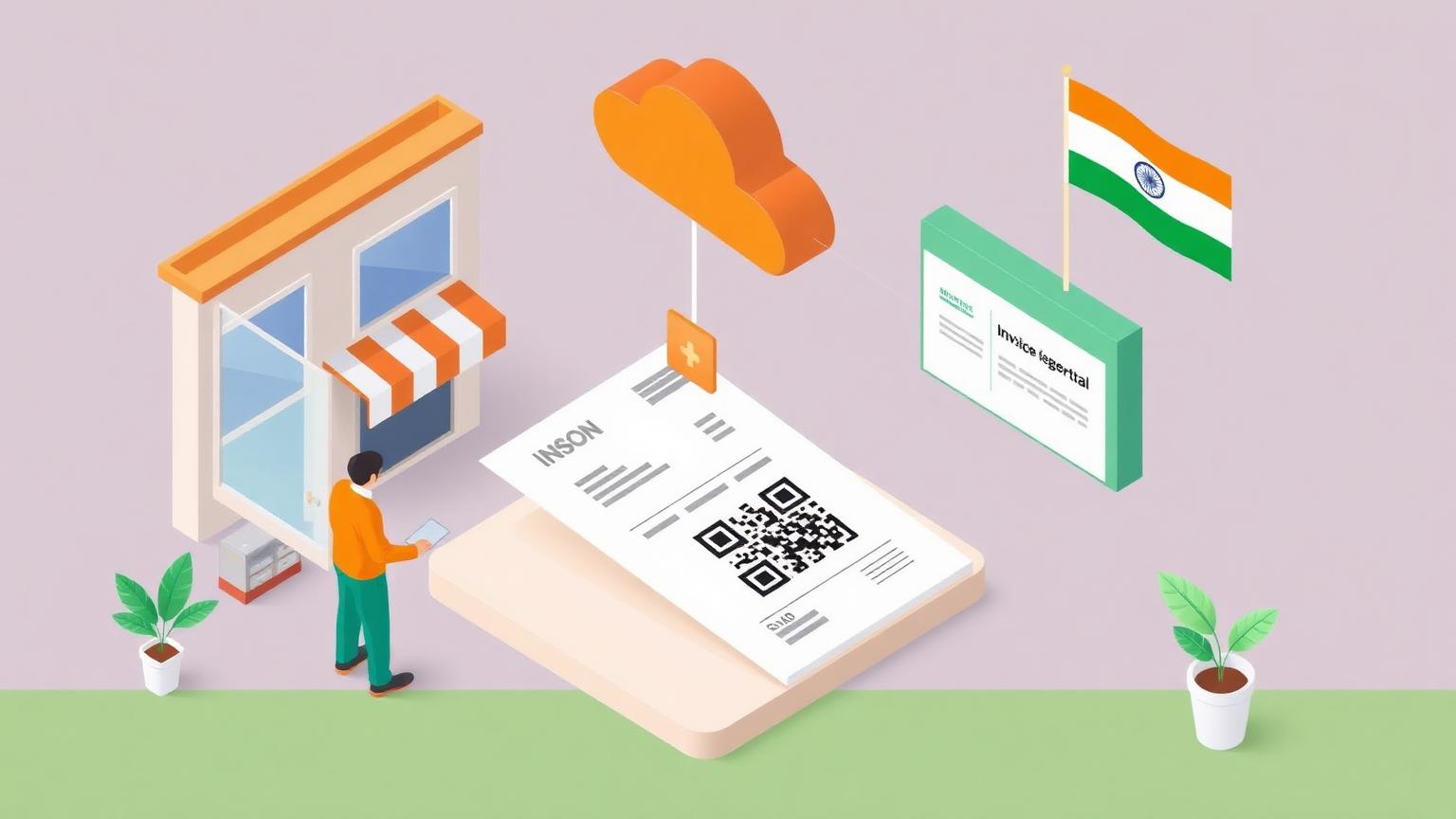
How to Comply with GST IRN in India: Onboard with NIC IRP and Issue Your First Signed QR Invoice (2026)
Global E-Invoicing Platform Series
This guide is part of a comprehensive series. Explore all 36 topics:
To comply with GST IRN e-invoicing in India, a GST-registered taxpayer whose aggregate annual turnover crossed ₹5 crore in any financial year from 2017-18 onwards must enrol on the NIC Invoice Registration Portal (einvoice.gst.gov.in), enable mandatory two-factor authentication, build a GST INV-01 JSON payload with seller and buyer GSTINs plus the CGST/SGST or IGST breakdown, submit it to the IRP API within 30 days of the invoice date (for taxpayers above ₹10 crore turnover), receive the 64-character IRN and signed JWT QR, then render both on the buyer-facing invoice as the basis for the buyer's input tax credit claim.
At a glance
- Authority: Central Board of Indirect Taxes and Customs (CBIC) and the GST Council; technical operator is the National Informatics Centre (NIC).
- Mandate: GST e-Invoicing — clearance via the Invoice Registration Portal (IRP).
- Artefact: GST INV-01 JSON payload + 64-character IRN hash + signed JWT QR.
- Transport: NIC IRP REST API (primary) or alternative approved IRPs (Cygnet, IRIS, ClearTax, EY, GSTN).
- Applies to: B2B, exports, SEZ supplies, and credit/debit notes for taxpayers with aggregate annual turnover above ₹5 crore in any FY since 2017-18.
- Upload window: 30 days from invoice date for taxpayers with AATO > ₹10 crore; no time bar today for AATO ₹5–10 crore.
- Tax rates handled: CGST + SGST (intra-state), IGST (inter-state and exports).
- Last reviewed: 20 November 2026 against the GSTN portal, the CBIC e-invoice notifications, and the NIC IRP API documentation.
Where GST IRN sits in the global e-invoicing landscape
GST IRN is a clearance-model continuous transaction control regime — the same family as ZATCA Phase 2 in Saudi Arabia, MyInvois in Malaysia, and NRS / FIRS MBS in Nigeria.
GST IRN is a clearance-model continuous transaction control regime — the same family as ZATCA Phase 2 in Saudi Arabia, MyInvois in Malaysia, and NRS / FIRS MBS in Nigeria. The distinguishing feature is the IRN (a 64-character SHA-256 hash generated by the IRP) and the signed JWT QR that is the buyer's primary basis for claiming input tax credit. No other major regime uses a JWT QR.
If you are integrating across India and ASEAN, your platform must emit INV-01 JSON for India, UBL 2.1 for MyInvois, ZATCA-profile XML for Saudi Arabia, and the FIRS schema for Nigeria. Treat your canonical invoice model as the single source of truth and let the integration layer compose the per-jurisdiction payload.
What you need before you start
An active GSTIN for every place of business that will issue e-invoices. Aggregate annual turnover above the current GST e-invoicing threshold — ₹5 crore since 1 August 2023, applied if the threshold was crossed in any financial year from 2017-18 onwards (CBIC Notification 10/2023-CT).
- An active GSTIN for every place of business that will issue e-invoices.
- Aggregate annual turnover above the current GST e-invoicing threshold — ₹5 crore since 1 August 2023, applied if the threshold was crossed in any financial year from 2017-18 onwards (CBIC Notification 10/2023-CT).
- An invoicing platform that can emit GST INV-01 JSON and submit to the IRP API.
- NIC IRP credentials (or credentials with an alternative approved IRP) provisioned via the GSTN portal.
- NTP-synchronised servers — IRN issuance carries the IRP's signing timestamp and your payload must reconcile.
Step 1 — Register on the NIC IRP
Which IRP should I use?
NIC IRP is the default and most widely used. As of 2026, the GSTN-approved IRPs are NIC (IRP1, IRP2), Cygnet, IRIS, ClearTax, EY, and a handful of others — full list on the GSTN portal.
NIC IRP is the default and most widely used. As of 2026, the GSTN-approved IRPs are NIC (IRP1, IRP2), Cygnet, IRIS, ClearTax, EY, and a handful of others — full list on the GSTN portal. Most platforms (Invoicemonk included) integrate NIC IRP by default; switching IRPs requires re-enrolment with the alternative.
How do I enrol?
Log in to einvoice. gst.
Log in to einvoice.gst.gov.in with your GST credentials, accept the terms, complete the enrolment form with your GSTIN, principal place of business, and email/mobile for OTP verification. The portal then issues your IRP API credentials (client ID and secret) which your invoicing platform uses to authenticate API calls.
Step 2 — Enable two-factor authentication
Since 2024 the GSTN has progressively rolled out mandatory two-factor authentication (2FA) for IRP access. As of 2026, 2FA is enforced for all taxpayers above the e-invoicing threshold.
Since 2024 the GSTN has progressively rolled out mandatory two-factor authentication (2FA) for IRP access. As of 2026, 2FA is enforced for all taxpayers above the e-invoicing threshold. The second factor is an OTP delivered to the registered mobile number or via the NIC e-Way Bill app. Without active 2FA on the GSTN account, IRP API calls return an authentication failure.
Step 3 — Map your invoice to the GST INV-01 JSON schema
The INV-01 payload requires:
- Header: document type (INV for invoice, CRN for credit note, DBN for debit note), document number, document date.
- Seller: GSTIN, legal name, address, place of business, state code.
- Buyer: GSTIN (or "URP" for unregistered persons), legal name, address, place of supply (state code that drives CGST/SGST vs IGST routing).
- Line items: HSN or SAC code, item description, quantity, unit price, taxable value, GST rate, CGST / SGST / IGST amounts, Cess where applicable.
- Document totals: taxable value, CGST, SGST, IGST, Cess, rounding, total invoice value.
- Optional blocks: shipping details, payment terms, dispatch from / ship to addresses, reference document for credit/debit notes.
All values must reconcile to the totals at the paise level. Mismatches trigger validation errors and the IRP refuses to issue the IRN.
Step 4 — Submit to the IRP and obtain the IRN
Step 4 — Submit to the IRP and obtain the IRN includes: The platform builds the INV-01 JSON. The JSON is POSTed to the IRP API with your IRP credentials and 2FA session token.
- The platform builds the INV-01 JSON.
- The JSON is POSTed to the IRP API with your IRP credentials and 2FA session token.
- The IRP validates schema, GSTINs, GST computation, and place-of-supply routing.
- On success the IRP returns:
- IRN — a 64-character SHA-256 hash of (seller GSTIN + invoice number + financial year + document type).
- Signed JWT QR containing the IRN, GSTINs, totals, and the IRP signature.
- Ack number and ack date for audit trail.
- The platform binds the IRN, ack number, and signed QR to the buyer PDF.
Step 5 — Present the IRN and signed QR on the buyer-facing invoice
Every buyer-facing invoice must display the IRN and the signed QR.
Every buyer-facing invoice must display the IRN and the signed QR. The QR is a JSON Web Token signed by the IRP that any GST-compliant viewer can decode to verify the invoice was registered. The buyer's accounts payable system decodes the JWT, verifies the IRP signature, and confirms the seller, buyer, document type, and totals match the QR's claims. Without the QR, the buyer cannot claim input tax credit (ITC) — and ITC denial is the single most common reason large Indian buyers refuse to settle invoices.
Step 6 — Cancellations, credit notes, and the 30-day upload limit
Cancellations and corrections follow a strict timeline:
Cancellations and corrections follow a strict timeline:
- Cancellation window: an IRN can be cancelled within 24 hours of issuance via the IRP. After 24 hours, the IRN is final.
- Corrections after 24 hours: issue a credit note (CRN) or debit note (DBN) which gets its own IRN and references the original document number.
- 30-day upload limit: for taxpayers with aggregate annual turnover above ₹10 crore, the IRP rejects payloads with an invoice date more than 30 days old. Taxpayers between ₹5 and ₹10 crore are not yet subject to the 30-day bar; check the GSTN portal for changes.
- Auto-population to GSTR-1: cleared IRNs flow into the seller's GSTR-1 return automatically; the seller confirms before filing rather than re-entering data.
Common rejection codes and how to fix them
Common rejection codes and how to fix them includes: 2150 — Invalid GSTIN: seller or buyer GSTIN failed registry lookup. Verify the format (15-character) and active status on the GSTN portal.
- 2150 — Invalid GSTIN: seller or buyer GSTIN failed registry lookup. Verify the format (15-character) and active status on the GSTN portal.
- 2189 — Duplicate IRN: the seller invoice number + document type + financial year combination was already submitted. Use a unique sequence per seller per FY.
- 2233 — Invoice date older than 30 days: applies to AATO > ₹10 crore taxpayers. Issue a credit note for the old document if reversal is required.
- 2270 — Place of supply mismatch: declared place-of-supply state code does not match the IGST/CGST+SGST routing. Use IGST for inter-state and exports, CGST + SGST for intra-state.
- 2295 — Tax amount mismatch: line-level GST does not equal rate × taxable value. Recompute and resubmit.
- 2172 — Authentication failure: typically a 2FA session token has expired. Re-authenticate via the IRP login flow.
- 2150-2-INV01 — HSN/SAC invalid: HSN code (for goods) or SAC code (for services) is not in the CBIC list. Map to the closest valid code; 8-digit HSN is mandatory for AATO > ₹5 crore.
Pre-go-live compliance checklist
Pre-go-live compliance checklist includes: ☐ All GSTINs enrolled on the NIC IRP (or alternative approved IRP). ☐ Two-factor authentication enabled on every GSTN account.
- ☐ All GSTINs enrolled on the NIC IRP (or alternative approved IRP).
- ☐ Two-factor authentication enabled on every GSTN account.
- ☐ IRP API credentials provisioned and stored securely (rotated quarterly).
- ☐ INV-01 JSON validates against the NIC schema in sandbox (einv-apisandbox.nic.in).
- ☐ 8-digit HSN / SAC codes mapped for every line item.
- ☐ Place-of-supply routing logic tested for intra-state, inter-state, and export scenarios.
- ☐ Signed JWT QR rendered on the buyer PDF in the prescribed format.
- ☐ 24-hour cancellation flow tested end to end.
- ☐ 30-day upload-window monitoring in place (if AATO > ₹10 crore).
- ☐ Credit note (CRN) and debit note (DBN) flows tested.
- ☐ Auto-population to GSTR-1 verified.
- ☐ Archive policy proven for the eight-year statutory GST retention period.
Key takeaways
Key takeaways includes: GST IRN is clearance — no IRN, no input tax credit for the buyer. The signed JWT QR is unique to India; treat it as a first-class artefact, not a barcode.
- GST IRN is clearance — no IRN, no input tax credit for the buyer.
- The signed JWT QR is unique to India; treat it as a first-class artefact, not a barcode.
- 2FA is mandatory on every IRP-linked GSTN account.
- If AATO is above ₹10 crore, the 30-day upload limit is binding and audited.
- Cancellations live within a 24-hour window; after that, only credit/debit notes can correct a cleared invoice.
Related reading
Start at the e-invoicing pillar, then the GST IRN India mandate page. For the regulatory context, read GST IRN India explained.
Start at the e-invoicing pillar, then the GST IRN India mandate page. For the regulatory context, read GST IRN India explained. The original launch primer lives in e-invoicing in India with GST. For the IRN itself, see what is an Invoice Reference Number, and for the QR mechanics see QR codes on tax invoices.
Authority sources
More in this series (36 articles)
From this series
Mandate-compliant e-invoicing in 17 jurisdictions, with the local artefact (CSID, IRN, UUID, QR, digital signature) issued automatically.
Digital Marketing, SEO Specialist, Content Creator & Product Professional
Olayinka is a digital marketer, content creator, growth and SEO specialist with 10+ years helping businesses in Nigeria, the UK, the US, Australia, and Dubai achieve their goals online.