Automated Payment Reminders: How to Set Them Up (2026)
Getting Paid Faster Series
This guide is part of a comprehensive series. Explore all 40 topics:
Small businesses spend an average of 1.5 hours per week chasing overdue invoices — that's 78 hours a year of unpaid admin (Xero). And it doesn't work well: over 60% of invoices are paid late when businesses rely on manual follow-ups.
Automatic payment reminders fix this. They follow up consistently, politely, and on schedule — without you lifting a finger. Businesses using them get paid an average of 11–14 days faster and see 25–30% fewer late payments. This guide shows the optimal schedule, the exact copy to use at each stage, and how to set it up in Invoicemonk in 5 minutes (with screenshots).
What Are Automated Payment Reminders?
Automated payment reminders are scheduled emails your invoicing software sends on fixed days around an invoice's due date — typically 3 days before, on the due date, and at 3, 7, 14, 21 and 30 days overdue — and stops automatically the moment the invoice is paid.
Automated payment reminders are scheduled emails your invoicing software sends on fixed days around an invoice's due date — typically 3 days before, on the due date, and at 3, 7, 14, 21 and 30 days overdue — and stops automatically the moment the invoice is paid. Unlike manual follow-ups, they run identically for every client, so nothing slips and nothing feels personal.
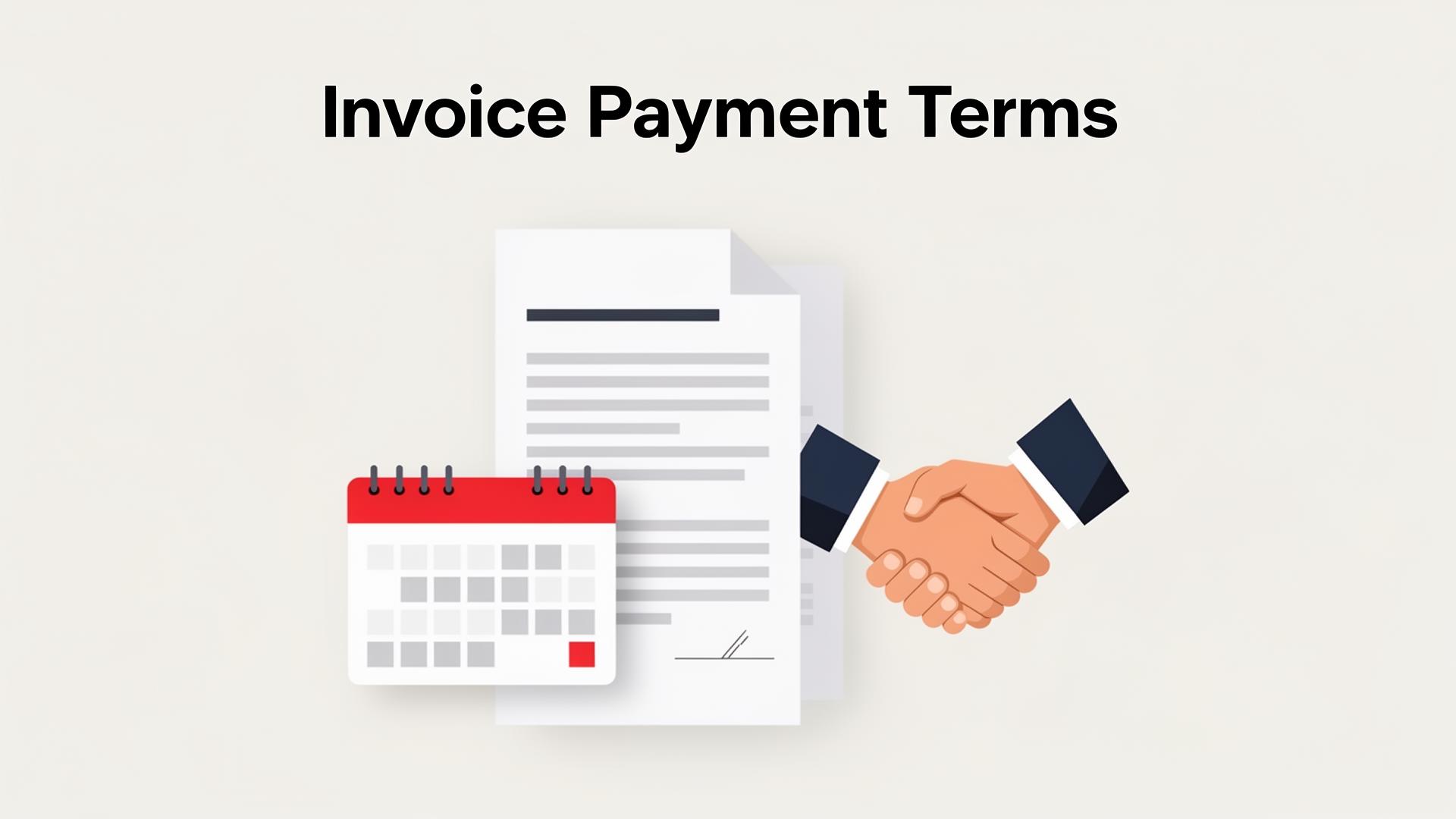
The wording matters as much as the timing: use the stage-by-stage copy in our payment reminder email templates, and make sure the late-fee clause you reference actually appears in your invoice payment terms.
Why Manual Reminders Fail
Most business owners intend to follow up on unpaid invoices but face the same barriers:
Most business owners intend to follow up on unpaid invoices but face the same barriers:
- Inconsistency: You remember some invoices and forget others, especially when busy with billable work.
- Discomfort: Nobody enjoys asking for money. The awkwardness causes delays, which compounds the problem.
- Time cost: Each chase email — checking status, drafting, personalising — takes 5–10 minutes. Across dozens of invoices, that's a part-time job you didn't sign up for.
- Scaling issues: Manual chasing is manageable at 5 clients. At 30+, things slip through the cracks.
How Automatic Reminders Work
Automatic reminders are pre-scheduled emails triggered by invoice status.
Automatic reminders are pre-scheduled emails triggered by invoice status. Configure once and the system handles the rest:
- Set the schedule — choose when reminders fire relative to the due date (e.g., 3 days before, on the due date, 7 days after).
- Customise each message — friendly heads-up early, firmer notice when overdue.
- The system monitors invoice status — if the client pays, no further reminders are sent.
- You stay informed — see which clients have been reminded and which invoices are still outstanding.
The email feels personal to the client (sent from you, with your branding) while requiring zero ongoing effort.
The Ideal Payment Reminder Schedule
After analysing payment patterns across thousands of small businesses, this is the schedule that produces the best results:
After analysing payment patterns across thousands of small businesses, this is the schedule that produces the best results:
| Timing | Purpose | Tone |
|---|---|---|
| 3 days before due date | Courtesy reminder | Friendly, informational |
| Due date | Payment due notice | Professional, clear |
| 3 days overdue | Gentle follow-up | Understanding, with payment link |
| 7 days overdue | Firm reminder | Direct; mention late fees if applicable |
| 14 days overdue | Escalation | Serious; outline next steps |
Pre-due reminder (3 days before)
The most underrated reminder. It gives clients time to push the invoice through their AP workflow — especially important for corporate clients with approval cycles. A simple "Just a friendly reminder that invoice #1047 for $3,200 is due on Friday" works perfectly.
Due-date reminder
Brief and factual: "Invoice #1047 is due today. Click here to pay securely online." Always include a direct payment link — removing friction is the single biggest factor in same-day payment.
Overdue reminders (3, 7, 14 days)
Gradually increase formality. At 3 days, assume oversight. At 7 days, reference your payment terms and any late fees. At 14 days, indicate you'll need to discuss directly if payment isn't received soon.
For copy-paste wording at every stage, see our payment reminder email templates.
Results: What Automatic Reminders Actually Achieve
Based on aggregate data from invoicing platforms:
Based on aggregate data from invoicing platforms:
- 25–30% reduction in late payments — the pre-due reminder alone catches many that would otherwise be late.
- 11 days faster average payment — invoices with automatic reminders are paid significantly sooner.
- 60% of overdue invoices paid after the first reminder — most late payments are genuine oversights, not deliberate.
- 1.5+ hours per week saved — time previously lost to chasing redirected to billable work.
Set Up Automatic Reminders in Invoicemonk in 5 Minutes
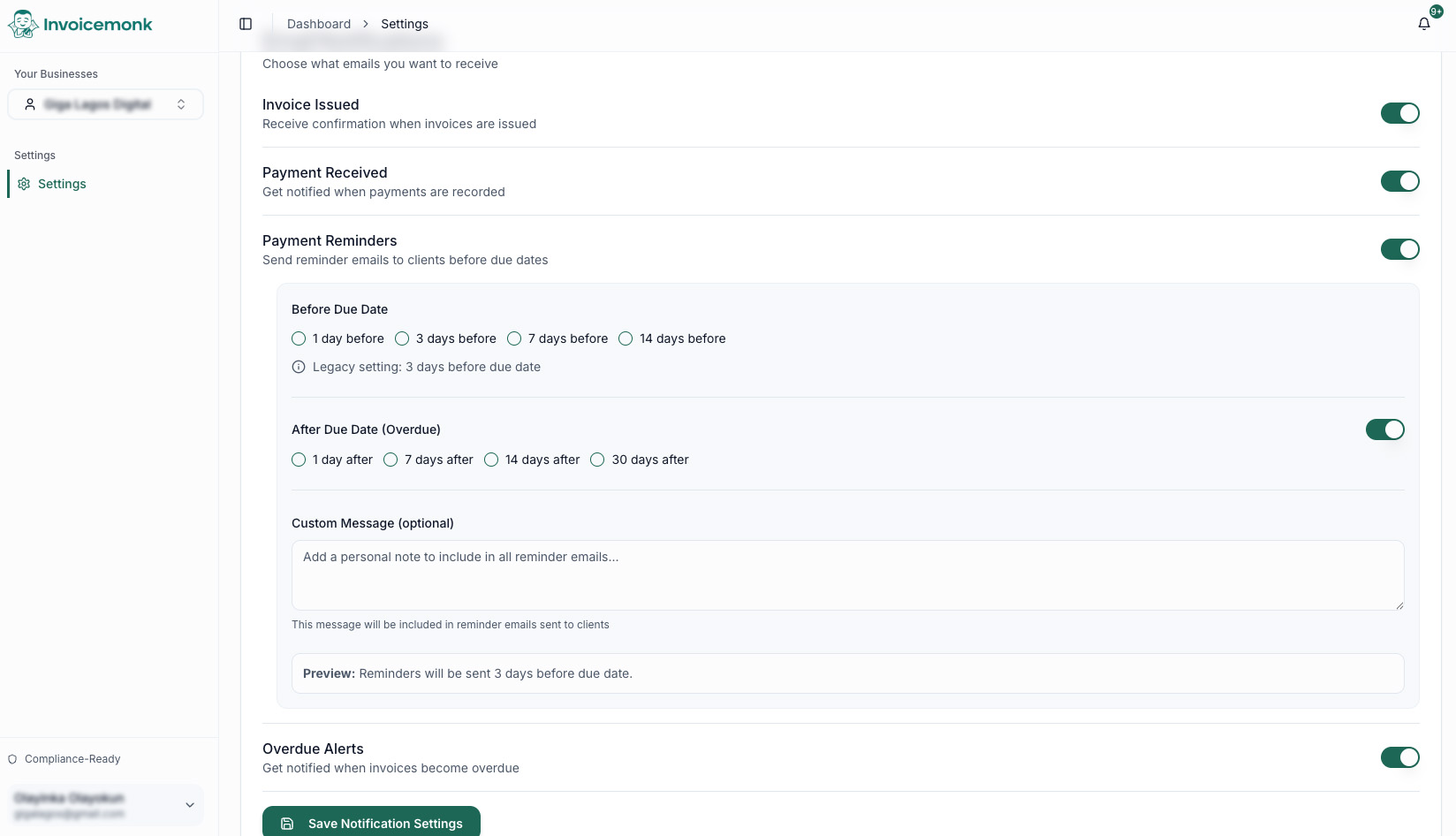
Here's the exact flow inside Invoicemonk.
Here's the exact flow inside Invoicemonk.
- Go to Settings → Notifications and scroll to Payment Reminders.
- Toggle Payment Reminders on. This enables the whole reminder engine for every new invoice.
- Pick a Before Due Date interval — 1, 3, 7, or 14 days before. (3 days is our recommended default.)
- Enable After Due Date (Overdue) and select intervals — 1, 7, 14, and/or 30 days after. Most businesses pick 1, 7, and 14.
- Add an optional custom message — a short note included in every reminder (e.g., "Thanks again for working with us — let us know if you'd like to set up a payment plan.").
- Save Notification Settings. The preview line at the bottom confirms the schedule, e.g. "Reminders will be sent 3 days before due date."
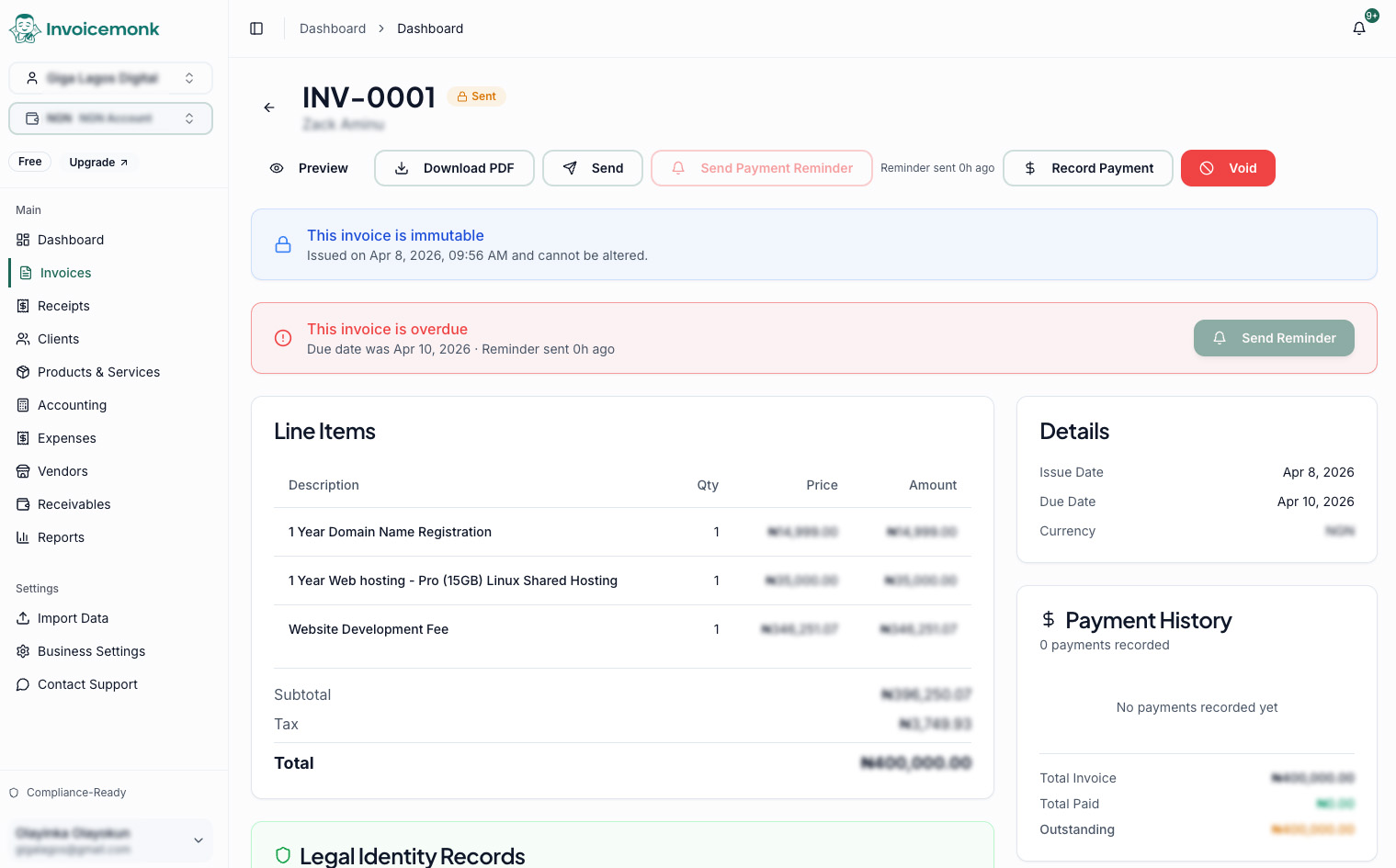
Once configured, every new invoice automatically inherits the schedule. You can still trigger a manual nudge at any time:
Best Practices for Effective Reminders
Always include a payment link
Every reminder should have a prominent "Pay Now" link. The fewer clicks between reading the email and completing payment, the faster you get paid. See online payment methods for what to offer.
Keep the tone relationship-first
Even overdue reminders should assume good faith. "We understand things get busy" outperforms "Your payment is overdue." You want to get paid and keep the client.
Don't over-remind
Five reminders across 14 days is plenty. Beyond that, switch to a personal phone call or email. Automated messages lose effectiveness when they feel like spam.
Segment by client type
Enterprise clients on 45-day payment cycles don't need the same schedule as individual clients on Net 15. Adjust timing per segment for best results.
Track what works
Monitor which reminder triggers the most payments. If the pre-due reminder catches 40% of would-be late payments, push it to 5 or 7 days before to give even more lead time.
When Reminders Aren't Enough
Automatic reminders handle the 80% of late payments that are simple oversights.
Automatic reminders handle the 80% of late payments that are simple oversights. For the remaining 20%, layer in:
- Late payment fees — clearly stated in your payment terms and applied consistently.
- Early payment discounts — small incentives for prompt payment (do they work?).
- Deposits and milestone billing — collect throughout the project, not all at the end.
- Credit checks — for large engagements, verify payment history before committing.
- Professional escalation — when automation fails, see handling late payments professionally.
Measuring Results
Track these metrics to optimise your reminder strategy:
Track these metrics to optimise your reminder strategy:
- Days Sales Outstanding (DSO): Average time to collect payment.
- Reminder-to-payment rate: What percentage of reminders trigger payment.
- Optimal reminder timing: Which stage gets the most responses.
- Client satisfaction: Make sure reminders don't strain relationships.
Key Takeaways
Key Takeaways includes: Automatic payment reminders cut late payments by 25–30% with zero ongoing effort. The optimal schedule: a pre-due reminder, due-date notice, and 3 escalating overdue reminders.
- Automatic payment reminders cut late payments by 25–30% with zero ongoing effort.
- The optimal schedule: a pre-due reminder, due-date notice, and 3 escalating overdue reminders.
- Always include a direct payment link in every reminder.
- Keep the tone professional and relationship-preserving.
- Set it up once and let automation chase for you — spend your time on billable work instead.
Related Resources
- Ultimate Guide to Getting Paid Faster
- Payment Reminder Email Templates
- Handling Late Payments Professionally
- Early Payment Discounts Strategy
Ready to stop chasing payments manually? Set up your reminder schedule from $15/month, cancel anytime. See pricing, what the invoicing feature set covers, or compare options in our best invoicing software in the USA guide.
More in this series (40 articles)
From this series
Strategies and tools to accelerate your payment collection and improve cash flow.
Related Topics
Digital Marketing, SEO Specialist, Content Creator & Product Professional
Olayinka is a digital marketer, content creator, growth and SEO specialist with 10+ years helping businesses in Nigeria, the UK, the US, Australia, and Dubai achieve their goals online.