Invoice Mistakes That Cost You Money (And How to Avoid Them)
Invoicing Mastery Series
This guide is part of a comprehensive series. Explore all 33 topics:
Every day, businesses lose money not because of bad products or services, but because of preventable invoicing mistakes. These errors lead to payment delays, damaged client relationships, and cash flow crises that can threaten your business.
In 2026, 83% of late payments are caused by invoice errors or client confusion. The average invoice is already paid 8.3 days late—and invoicing mistakes push that even further.
This guide reveals the 10 most costly invoicing mistakes and provides actionable solutions for each one. Whether you're a freelancer, small business owner, consultant, or contractor, these fixes will help you get paid faster.
Mistake #1: Delaying Invoice Sending
The Problem
You finish a project, feel relieved, and tell yourself you'll send the invoice "tomorrow." Tomorrow becomes next week. Next week becomes month-end. By the time you invoice, the client has moved on to other priorities—and so has their payment schedule.
The cost: Research shows that invoices sent within 24 hours of project completion get paid on average 2 weeks faster than those sent a week later.
The Solution
- Invoice immediately: Make invoicing the final step of every project
- Schedule invoice time: Block time weekly (or daily for high-volume businesses) for invoicing
- Use automation: Invoicing software lets you create and send invoices in minutes
- Set up recurring invoices: For regular clients, automate the process entirely
Freelancer example: Sarah, a graphic designer, used to invoice at month-end. She switched to same-day invoicing and reduced her average payment time from 45 days to 18 days.
Mistake #2: Vague Service Descriptions
The Problem
Your invoice says "Consulting services - $3,000." The client's accounts payable team has no idea what this is for. They email the project manager. The project manager is on vacation. Your invoice sits in limbo for two weeks.
The cost: Vague descriptions create confusion, trigger questions, and delay approvals—especially in larger organizations with formal approval processes.
The Solution
Provide specific, detailed descriptions:
- Include dates of work
- Reference specific deliverables
- Match language from your proposal or contract
- Include project names or PO numbers
Before: "Consulting services - $3,000"
After: "Strategic marketing consultation (20 hours @ $150/hr), January 15-31, 2026. Deliverables: Competitive analysis report, 90-day marketing action plan, and strategy presentation. Ref: Project #MKT-2026-001"
Mistake #3: Missing or Incorrect Client Information
The Problem
You send the invoice to "John at TechCorp." But John doesn't handle payments—that's the accounts department. Your invoice bounces around internally for weeks before reaching the right person.
The cost: Wrong contact details, outdated addresses, or missing PO numbers cause invoices to be delayed, lost, or rejected outright.
The Solution
- Ask upfront: Before starting work, ask "Who should I address invoices to?"
- Get billing details: Company legal name, billing address, AP contact, PO requirements
- Verify regularly: Contacts change—confirm details periodically for ongoing clients
- Store in your system: Save correct details in your invoicing software for future use
Mistake #4: Unclear Payment Instructions
The Problem
Your invoice looks professional and the amount is clear, but the client has no idea how to actually pay you. There's no bank account, no payment link, no payment methods listed. They mean to pay, but the friction means they'll "do it later."
The cost: Every step of friction reduces the likelihood of immediate payment. Making clients work to figure out how to pay you is leaving money on the table.
The Solution
- Include complete bank details: Bank name, account name, account number, sort code/routing number
- Add international details: IBAN and SWIFT/BIC for overseas clients
- Offer multiple methods: Bank transfer, card payment, mobile money, PayPal
- Use payment links: One-click payment links dramatically increase prompt payment rates
Contractor example: Mike, an electrician, started including QR codes linking to instant payment on his invoices. His average payment time dropped from 21 days to 5 days.
Mistake #5: Forgetting to Number Invoices
The Problem
You send invoices without unique numbers, or worse, you accidentally reuse numbers. When tax time comes, your records are a mess. When a client references "that invoice from January," you have no idea which one they mean.
The cost: Tax compliance issues, duplicate payment risks, tracking nightmares, and an unprofessional appearance.
The Solution
- Use sequential numbering: INV-001, INV-002, INV-003
- Never reuse numbers: If you void an invoice, skip that number
- Let software handle it: Invoicing software automatically assigns unique numbers
- Document voided invoices: Keep a record of why invoices were cancelled
For detailed numbering strategies, see our invoice numbering best practices guide.
Mistake #6: Not Specifying Payment Terms
The Problem
Your invoice says "Payment due upon receipt" or doesn't mention terms at all. The client interprets this as "whenever is convenient" and pays when they get around to it—usually 60+ days later.
The cost: Ambiguous terms give clients implicit permission to delay. Without a specific date, there's no urgency.
The Solution
- Be explicit: "Due: February 15, 2026" not "Due in 30 days"
- Choose appropriate terms: Net 15 for new clients, Net 30 for established relationships
- Consider deposits: Request 50% upfront for large projects
- Offer incentives: "2% discount if paid within 10 days"
Learn more in our guide on writing effective payment terms.
Mistake #7: Ignoring Tax Requirements
The Problem
Your invoice doesn't include required tax information—no VAT breakdown, no tax registration number, incorrect tax calculations. The client's accounting department rejects it, or worse, you face penalties from tax authorities.
The cost: Rejected invoices delay payment. Tax authority penalties hurt your bottom line. In some countries, invoices without proper tax information aren't valid.
The Solution
- Know your requirements: Understand what your tax authority requires on invoices
- Include tax ID: VAT, GST, TIN, or other registration numbers
- Show calculations: Subtotal, tax rate, tax amount, total
- Use compliant software: Invoicemonk handles tax calculations for multiple countries
See our country-specific guides: Nigeria (FIRS), UK (HMRC), US (IRS).
Mistake #8: Unprofessional Presentation
The Problem
Your invoice is a hastily formatted spreadsheet with misaligned columns, inconsistent fonts, and no branding. It works, technically—but it undermines the professional image you've built through your excellent work.
The cost: Unprofessional invoices suggest an unprofessional business. Clients may unconsciously deprioritize paying vendors who don't appear established.
The Solution
- Add your logo: Brand consistency matters
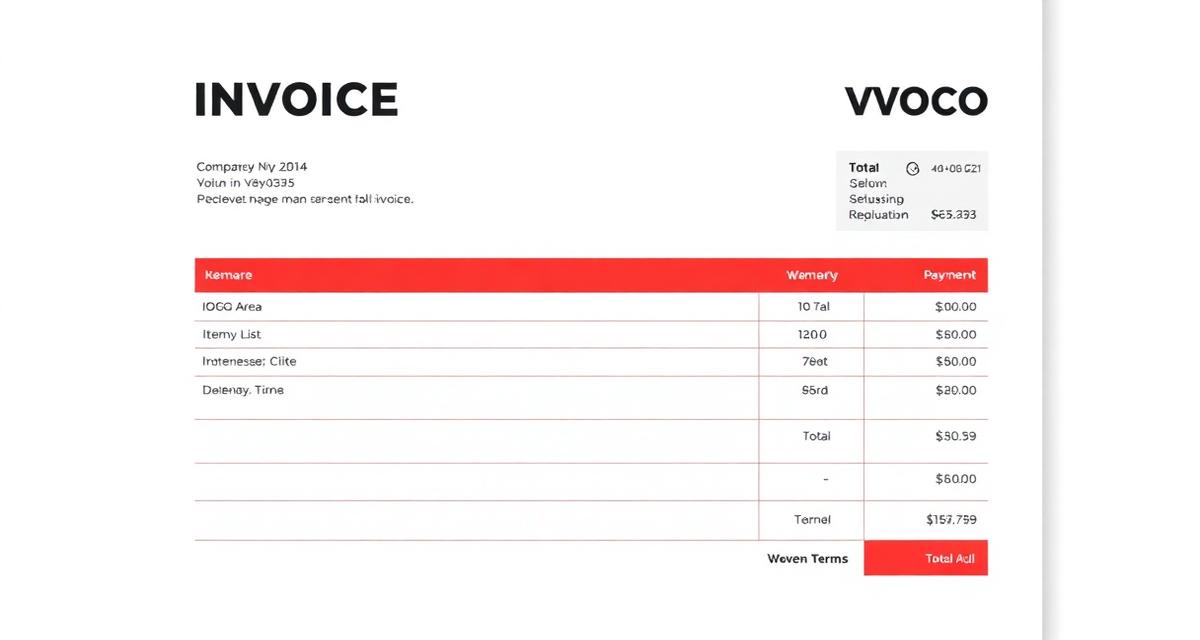
- Use clean formatting: Clear sections, readable fonts, aligned numbers
- Maintain consistency: Every invoice should look the same
- Use templates: Professional invoice templates save time and look great
Consultant example: James upgraded from Word documents to branded invoice templates. His clients started commenting on how "put together" his business seemed.
Mistake #9: Not Following Up
The Problem
You send the invoice and wait. The due date passes. You wait some more. Eventually you send a meek "just checking if you received my invoice?" The client apologizes and promises to pay "soon."
The cost: Passive waiting is costing you money. Clients aren't malicious—they're busy. Without reminders, your invoice falls to the bottom of their priority list.
The Solution
- Send reminders systematically:
- 3 days before due: Friendly reminder
- Due date: Payment due notification
- 7 days overdue: Polite follow-up
- 14 days overdue: Firmer reminder
- Automate reminders: Set up automatic payment reminders
- Stay professional: Consistent follow-up, not angry demands
Mistake #10: Manual Invoicing at Scale
The Problem
When you had 3 clients, creating invoices manually was fine. Now you have 20 clients, multiple projects, and invoicing takes hours every week. Errors creep in. Invoices get forgotten. Tracking becomes impossible.
The cost: Time is money. Hours spent on manual invoicing are hours not spent on billable work. Plus, error rates increase with volume.
The Solution
- Invest in invoicing software: The ROI is clear—time saved plus faster payments
- Automate recurring invoices: Set up once, send automatically
- Use templates: Client and service information saved for quick invoice creation
- Track in one place: Dashboard showing paid, pending, and overdue at a glance
Businesses using invoicing software get paid an average of 14 days faster than those using manual methods.
Quick Reference: Invoice Error Checklist
Before sending any invoice, verify:
Before sending any invoice, verify:
- ☑️ Sent within 24 hours of project completion
- ☑️ Detailed, specific service descriptions
- ☑️ Correct client name and billing address
- ☑️ Clear payment instructions with multiple methods
- ☑️ Unique, sequential invoice number
- ☑️ Specific due date (not just "Net 30")
- ☑️ Correct tax calculations and registration numbers
- ☑️ Professional, branded presentation
- ☑️ Follow-up reminders scheduled
- ☑️ Using invoicing software (if sending 5+ invoices/month)
Next Steps: Audit Your Current Invoices
Take 30 minutes to review your recent invoices against the mistakes above:
Take 30 minutes to review your recent invoices against the mistakes above:
- Pull your last 10 invoices
- Check each against the checklist
- Identify your most common mistakes
- Implement fixes for your top 3 issues
- Track your average payment time over the next month
Small improvements in invoicing practices can dramatically reduce the time between sending an invoice and receiving payment. Start with the mistakes you make most often.
Related Resources
Continue improving your invoicing and payment collection:
More in this series (33 articles)
From this series
Master the art of professional invoicing to get paid faster and look more professional.
Related Topics
Digital Marketing, SEO Specialist, Content Creator & Product Professional
Olayinka is a digital marketer, content creator, growth and SEO specialist with 10+ years helping businesses in Nigeria, the UK, the US, Australia, and Dubai achieve their goals online.